Shelly on a KNX installation
Shelly Gen3, Gen4 and Pro devices speak KNXnet/IP. That means a relay behind a light switch, a dimmer or a DIN-rail module can join an existing KNX system over the network — at a fraction of the cost of a KNX actuator.
MESH stocks the devices and does the KNX side: group addresses, integration with your existing ETS project and commissioning on site. Every KNX-compatible device we stock is listed below and in the shop.
See the KNX-compatible devices Talk to a KNX engineer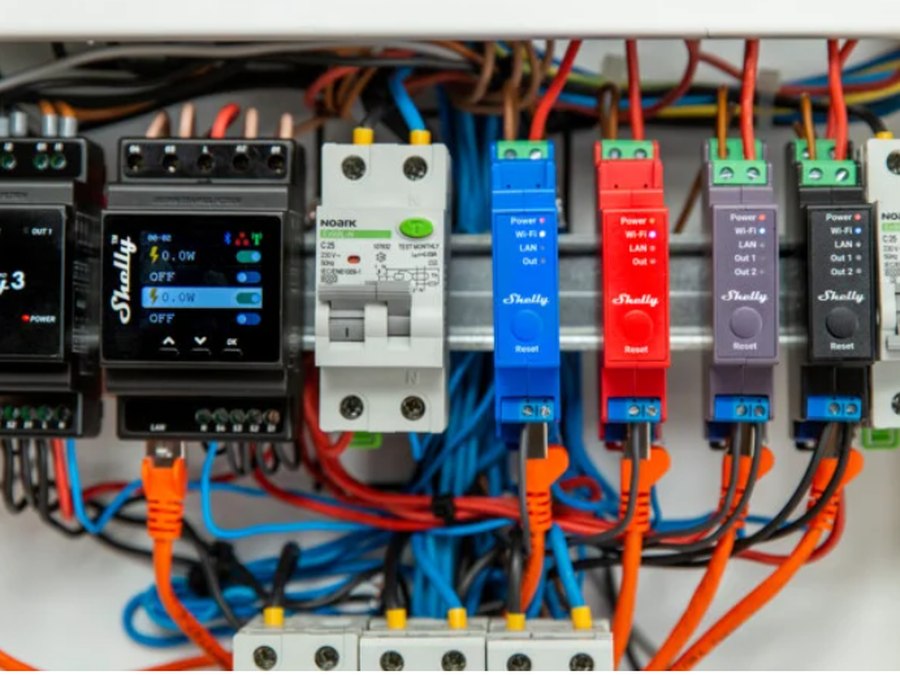
How it works
Same network as your KNX/IP interface
The Shelly device sits on the LAN alongside your KNX/IP router or interface. No gateway, no extra hardware. Pro devices can use Ethernet so the link does not depend on Wi-Fi.
Group addresses on the device
Send and receive group addresses are set in the Shelly's own interface. Once set, the device answers to the bus like any KNX actuator: switch, dim, cover, and power readings on the metered models.
Inputs go to the bus too
The switch inputs on a Shelly can send to the bus. An existing conventional wall switch wired to a Shelly 1 Gen3 becomes a KNX push button without changing the plate.
Where it makes sense
- A room the bus never reached. A Shelly 1 Gen3 behind the switch puts that circuit on the KNX system for $24.00, over Wi-Fi, with no new cable.
- Power readings without a KNX energy meter. The 1PM, 2PM and Pro 4PM report consumption to the bus, so a boiler, a pump or an AC can be metered in the same visualisation as everything else.
- LED dimming on a circuit KNX does not control. The Dimmer Gen3 and the 0/1-10 V and DALI dimmers appear on the bus as light channels.
- Adding channels to the board. Pro 2, Pro 3 and Pro 4PM on DIN rail, with Ethernet, for loads that were never on the KNX design.
Supported devices
Every device below is in the shop with a price. The firmware shown is the minimum Shelly requires for KNX on that model; we update devices before commissioning.
Behind the switch
from $24.00Fits in the back box behind an existing wall switch. Wi-Fi to the bus.
- Shelly 1 Gen3 — firmware 1.4.0+
- Shelly 1PM Gen3 — firmware 1.4.0+
- Shelly 1PM Gen4 — firmware 1.4.0+
- Shelly 1 Mini Gen3 — firmware 1.4.0+
- Shelly 1 Mini Gen4 — firmware 1.4.0+
- Shelly 1PM Mini Gen3 — firmware 1.4.0+
- Shelly 1PM Mini Gen4 — firmware 1.4.0+
- Shelly 2PM Gen3 — firmware 1.5.0+ (cover mode 1.6.0+)
- Shelly 2PM Gen4 — firmware 1.5.0+ (cover mode 1.6.0+)
- Shelly 2L Gen3 — no neutral — firmware 1.6.0+
- Shelly i4 Gen3 — 4 inputs, no relay — firmware 1.4.0+
Dimmers
from $45.00Phase-cut, 0/1-10 V and DALI, all reporting to the bus as a light channel.
- Shelly Dimmer Gen3 — firmware 1.5.0+
- Shelly Dimmer 0/1-10V PM Gen3 — firmware 1.4.0+
- Shelly Dimmer 0/1-10V PM Gen4 — firmware 1.4.0+
- Shelly DALI Dimmer Gen3 — firmware 1.4.0+
Pro, DIN rail
from $111.00For the distribution board. Ethernet as well as Wi-Fi, so the bus link does not depend on the house Wi-Fi.
- Shelly Pro 2 — firmware 1.4.0+
- Shelly Pro 2PM — firmware 1.4.0+ (cover mode 1.6.0+)
- Shelly Pro 3 — firmware 1.4.0+
- Shelly Pro 4PM V2 — firmware 1.4.0+
Plugs
from $42.00A metered socket on the bus, no wiring.
- Shelly Plug S MTR Gen3 Black — firmware 1.7.0+
- Shelly Plug S MTR Gen3 White — firmware 1.7.0+
- Shelly Outdoor Plug S Gen3 — firmware 1.7.0+
What does not do KNX
Shelly Plus (Gen2) devices have no KNX support and will not get it. Neither do the battery-powered BLU sensors, the EM energy meters, the Wall Displays or the plugs before Gen3. If you need one of those on a KNX system, it goes through Home Assistant instead — ask us.
Have MESH add it to your KNX system
We are a KNX integrator and a certified Shelly installer. Tell us what you want on the bus and where; we supply the devices, fit them, set the group addresses to match your existing project and commission on site.
Installers: the same devices at installer pricing, pre-configured with your group addresses if you send us the list.
Talk to a KNX engineer Browse KNX-compatible devices