Typically used for
Covers & Blinds
Lights
Appliances
Power monitoring
Key Features
LAN, Wi-Fi, and Bluetooth connection
2 outputs, 16A each. Total device maximum of 25A
Power metering on each channel and free storage data
Cover (roller) control - roller shutters, awnings, gates, barriers, sliding doors, curtains, garage doors, bi-directional AC motors
1-phase control
Easy control through the Shelly app, various protocols, and platforms, as well as voice assistants
Supports KNXnet / IP communication
Device identification
Device name: Shelly Pro 2PM v.1
Device model: SPSW-202PE16EU
Device SSID: ShellyPro2PM-XXXXXX
Short description
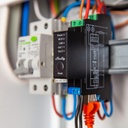
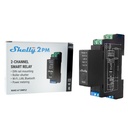
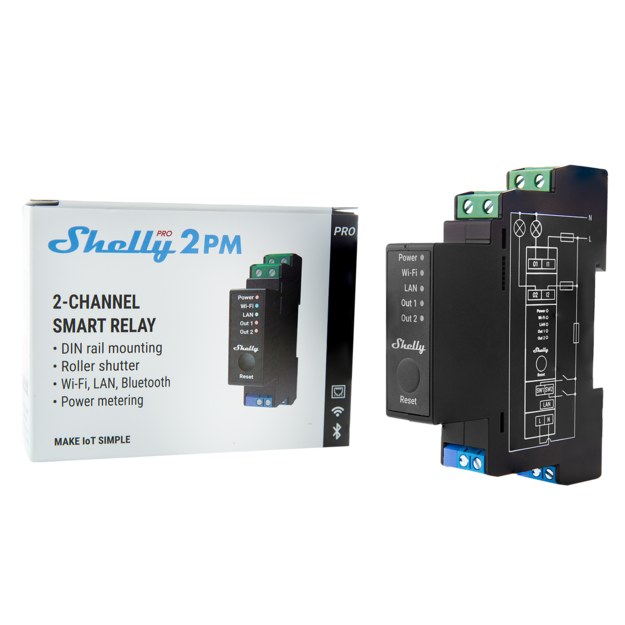
Shelly Pro 2PM is a DIN rail mountable 2-channel smart switch with power measurement capabilities. Enhanced with all the gen2 firmware flexibility and LAN connectivity, it provides professional integrators with many more options for end customer solutions. It can work standalone in a local Wi-Fi network or it can also be operated through cloud home automation services.
Shelly Pro 2PM can be accessed, controlled and monitored remotely from any place where the User has internet connectivity, as long as the device is connected to a Wi-Fi router and the Internet.
Shelly Pro 2PM has an embedded Web Interface which can be used to monitor and control the device, as well as adjust its settings.
Main applications
Residential
MDU (Multi Dwelling Units - apartments, condominiums, hotels, etc.)
Light commercial (small office buildings, small retail/restaurant/gas station, etc.)
Government/municipal
University/college
Integrations
Google
Alexa
Samsung SmartThings
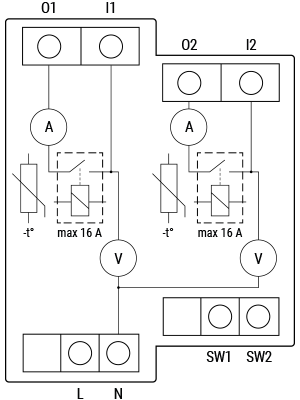
Device electrical interfaces
Inputs
2 switch/button inputs on screw terminals: SW1 and SW2
2 power supply inputs on screw terminals: 1 N and 1 L
2 relay inputs: I1, I2
Outputs
2 relay outputs: O1, O2
Ethernet port
1 RJ45 connector
⚠CAUTION! Plug in or unplug the LAN cable only when the Device is powered off! The LAN cable connector must not be metallic in the parts touched by the user to plug in or unplug the cable.
Add-on interface
Shelly proprietary serial interface
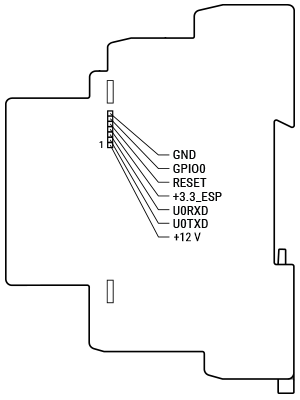
⚠CAUTION! High voltage on the add-on interface when the Device is powered!
Connectivity
Ethernet
Wi-Fi
Bluetooth
Safety features
Overheating protection
Overvoltage protection
Overcurrent protection
Overpower protection
Supported load types
Resistive (incandescent bulbs, heating devices)
Capacitive (capacitor banks, electronic equipment, motor start capacitors)
Inductive with RC Snubber (LED light drivers, transformers, fans, refrigerators, air-conditioners)
User interface
Inputs
One tactile dome button
Press and hold 5 sec to reboot.
Press and hold 10 sec to factory reset.
Outputs
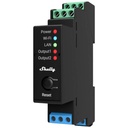
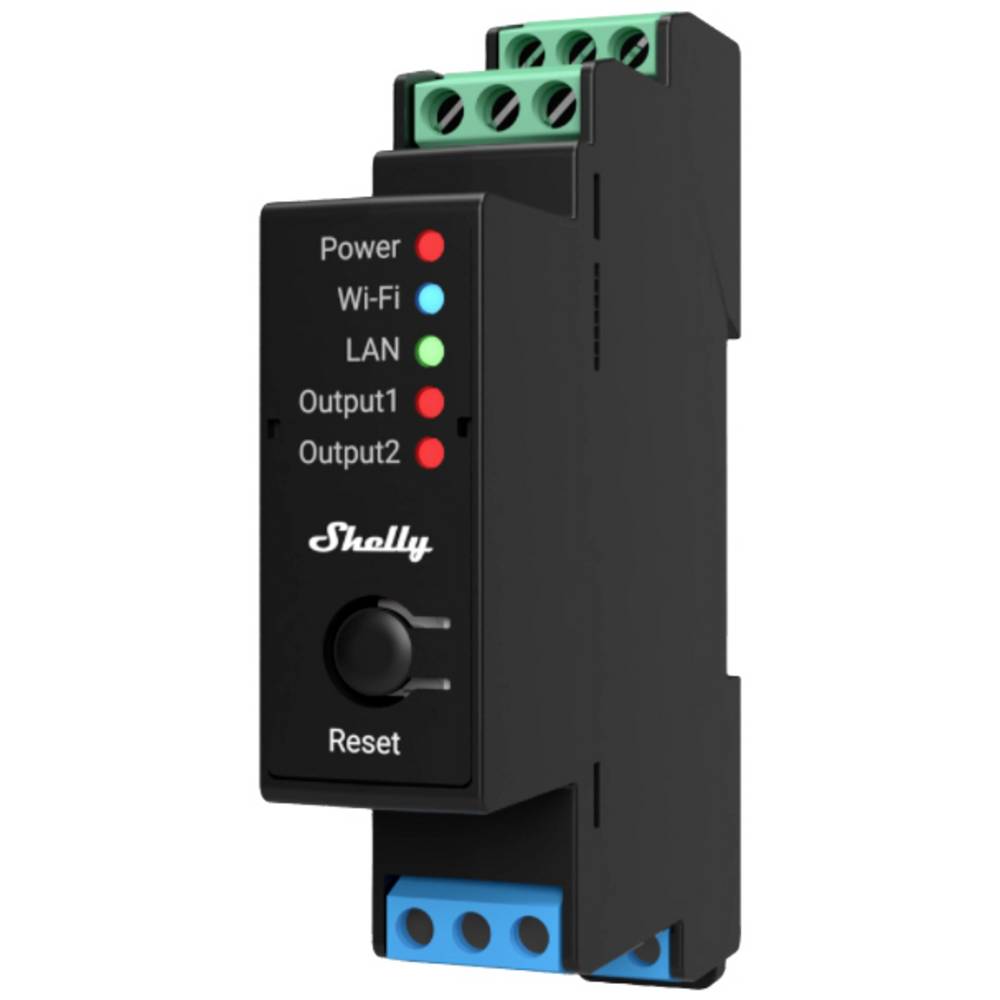
LED indication
Power (red): Red light indicator will be on if power supply is connected.
Wi-Fi (varies):
Blue light indicator will be on if in AP mode.
Red light indicator will be on if in STA mode and not connected to a Wi-Fi network.
Yellow light indicator will be on if in STA mode and connected to a Wi-Fi network. Not connected to Shelly Cloud or Shelly Cloud disabled.
Green light indicator will be on if in STA mode and connected to a Wi-Fi network and to the Shelly Cloud.
The light indicator will be flashing Red/Blue if OTA update is in progress.
LAN (green): Green light indicator will be on if LAN is connected.
Out 1 (red): Red light indicator will be on if the Output 1 relay is closed.
Out 2 (red): Red light indicator will be on if the Output 2 relay is closed.
Type | Value |
|---|---|
Physical | |
Size (HxWxD): | 94x19x69 ±0.5 mm / 3.70x0.75x2.71 ±0.02 in |
Weight: | |
Mounting: | DIN rail |
Screw terminals max torque: | 0.4 Nm / 3.54 lbin |
Conductor cross section: | 0.5 to 2.5 mm² / 20 to 14 AWG (green connectors) |
Conductor stripped length: | 6 to 7 mm / 0.24 to 0.28 in (green connector) |
Shell material: | Plastic |
Color: | Black |
Environmental | |
Ambient temperature: | -20 °C to 40 °C / -5 °F to 105 °F |
Humidity | 30 % to 70 % RH |
Max. altitude | 2000 m / 6562 ft |
Electrical | |
Power supply voltage AC: | 110 - 240 V |
Power supply voltage DC: | N/A |
Power consumption: | < 3 W |
Neutral not needed: | No |
Output circuits ratings | |
Max switching voltage AC: | 240 V |
Max switching voltage DC: | N/A |
Max switching current AC: | 16 A per channel, 25 A total |
Max switching current DC: | N/A |
Sensors, meters | |
Voltmeter (AC) | Yes |
Ammeter (AC) | Yes |
Internal-temperature sensor: | Yes |
Radio | |
RF band: | 2400 - 2495 MHz |
Max. RF power: | <20 dBm |
Wi-Fi protocol: | 802.11 b/g/n |
Wi-Fi Range: | Up to 30 m / 100 ft indoors and 50 m / 160 ft outdoors |
Bluetooth Protocol: | 4.2 |
Bluetooth Range: | Up to 10 m / 33 ft indoors and 30 m / 100 ft outdoors |
MCU | |
CPU: | ESP32-D0WDQ6 |
Flash: | 8 MB |
Firmware capabilities | |
Schedules: | 20 |
Webhooks (URL actions): | 20 with 5 URLs per hook |
Scripting: | Yes |
MQTT: | Yes |
CoAP: | No |
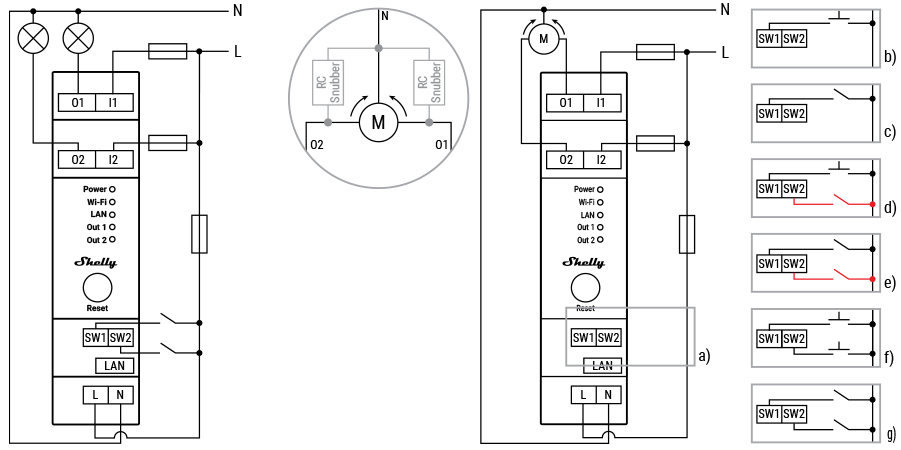 Switch/button Configurations in Cover mode
a) Detached mode
b) Single button mode
c) Single switch mode
d) Single button and safety switch mode
e) Single switch and safety switch mode
f) Dual button mode
g) Dual switch mode
Legend
Terminals | Wires | ||
|---|---|---|---|
I1, I2 | Load circuit input terminals | L | Live (110-240 V) wire |
O1, O2 | Load circuit output terminals | N | Neutral wire |
SW1, SW2 | Switch/button input terminals | ||
L | Live (110-240 V) terminal | ||
N | Neutral terminal | ||
LAN | Local Area Network RJ 45 connector |
What are the differences between the different generations of Shelly products?
Each new generation adds more power, memory, and features:
Gen 1 offers basic control;
Gen 2 (Plus Series, Mini Series, Pro Series) adds Bluetooth, scripting, and better security;
Gen 3 improves performance, adds Matter (starting from firmware version 1.6.0 or newer) and advanced monitoring;
Gen 4 offers multi-protocol connectivity, featuring Wi-Fi 6, Bluetooth, Zigbee, and Matter.
Can I control the device via Bluetooth?
No, the protocol is used only for device inclusion, allowing for quick and easy setup through the Shelly Smart Control app.
For bluetooth control it is required to have another Bluetooth device such as Shelly BLU Button or Shelly BLU Motion to interact.
Additionally, Shelly devices can function as a BLE gateway, bridging Shelly BLU devices to your Wi-Fi network.
Is it possible to use the device without a hub?
Yes, Shelly devices (except for Wave devices) operate independently without the need for a hub. They connect directly to your Wi-Fi network, and you can control them via the Shelly Smart Control app, web interface, or through integrations with platforms like Google Home, Alexa, Home Assistant and Samsung SmartThings.
Use cases

An awning that follows the weather
The outdoor motorized awnings offer pleasant shade for the establishment's visitors on sunny days. However, a strong, unexcepted wind can damage them beyond repair.

Automated blinds for privacy control
Motorized blinds and curtains will not only encourage the use of more natural light but will also allow the guests of your hotel establishment control of their privacy by controlling motorized blinds or curtains individually.
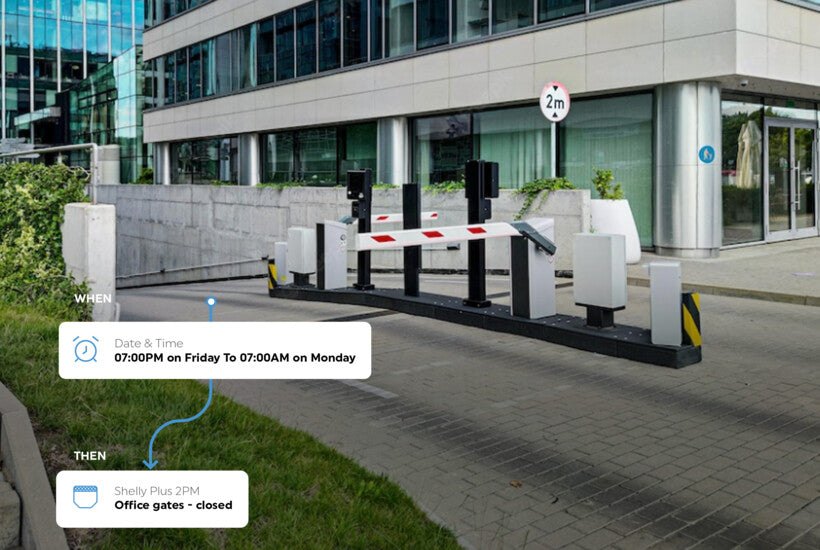
Remote control of the parking gates
Security services are costly to maintain. Shelly allows the automation of access control for your office or home, giving you remote control over your parking barrier or gate door.
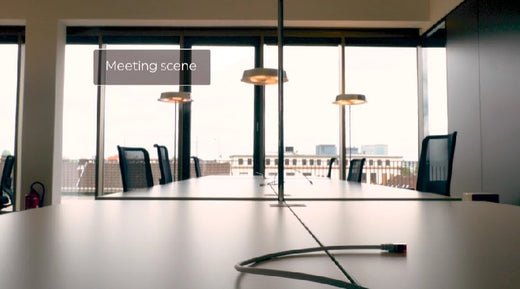
Smart conference room
Automate the conference rooms so that they are fully ready for your business meetings. Set Shelly Motion2 to activate the "Meeting scene" once you enter the room.