
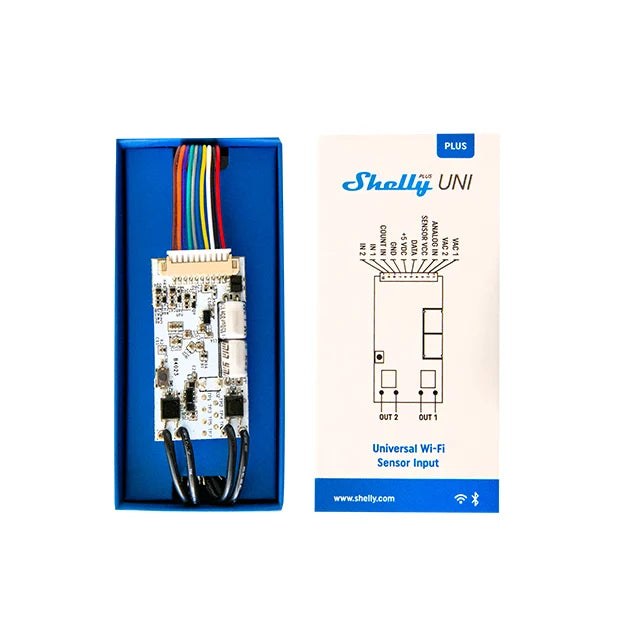
Typically used for
Sensor data
Doorbell
Door lock
Camper
Appliances
Key Features
No hub required! Easy control through the Shelly Smart Control app, most platforms and protocols, as well as voice assistants. Use it with Alexa, Home Assistant, or your preferred automation platform
Suitable for small appliances with low-voltage AC and DC applications (8-24 VAC, 9-28 VDC, and 5 VDC)
Has two digital and 1 analog inputs
Supports 1-Wire sensors (single DHT22 & up to 5 DS18B20)
Compatible with most Arduino sensors! Use its digital or analog inputs to measure your desired parameters and create complex automation scenes based on the sensor data
Receive precise data readings from your energy/gas/water meter (or any other meter that supports pulse count readings via external sensors)
Wi-Fi Range Extender & BLE Gateway
Extremely fast processor for immediate reaction - ESP32
Supports scripting, webhooks, MQTT, WebSocket, HTTPS, UDP, TLS and custom certificates
Device identification
Device name: Shelly Plus Uni
Device model: SNSN-0043X
Device SSID: ShellyPlusUni-XXXXXX
Short description
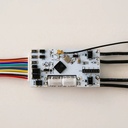
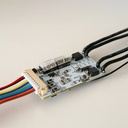
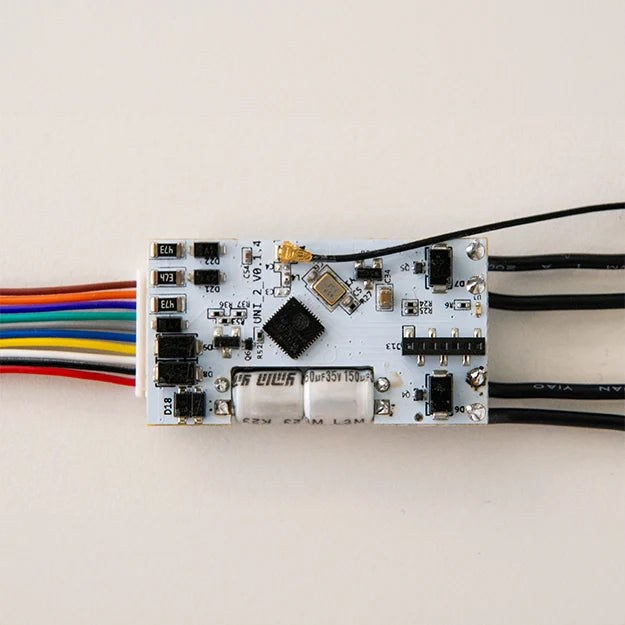
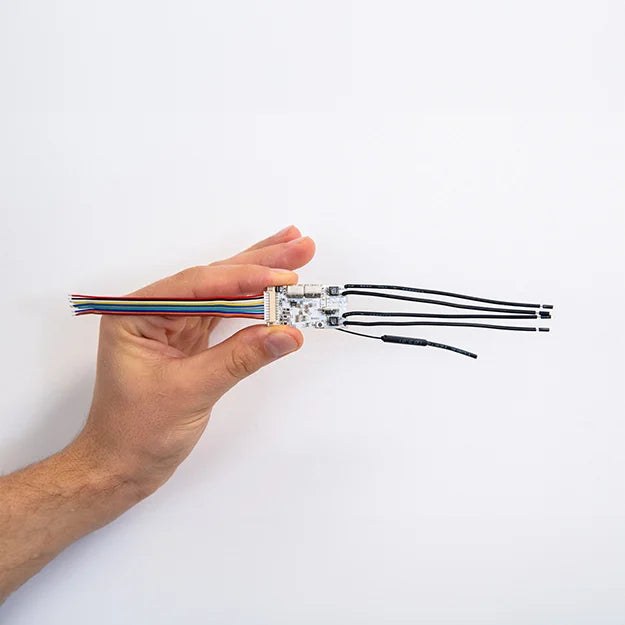
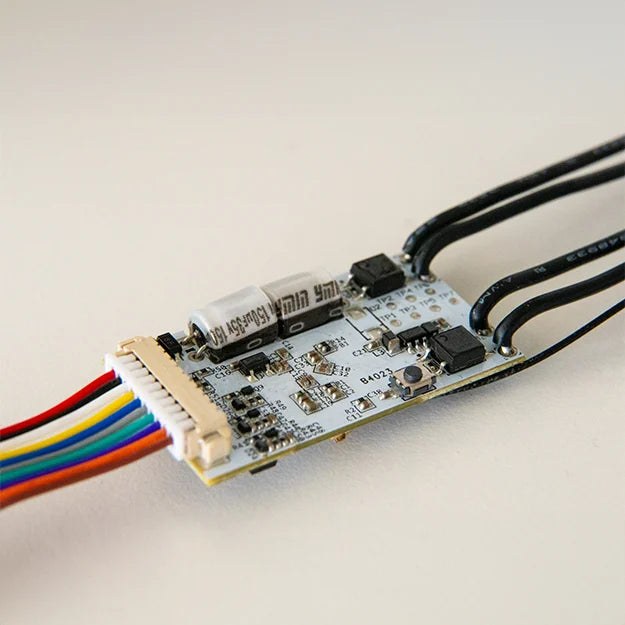
Shelly Plus Uni (the Device) is a small form factor smart universal module featuring two solid state relays with potential free contacts, pulse counter, analog and two digital inputs. It allows remote control of electrical devices via mobile phone, tablet, PC or home automation system. It can operate standalone on a local Wi-Fi network or it can also be controlled via cloud-based home automation services.
Shelly Plus Uni can be accessed, controlled, and monitored remotely from any place where the User has internet connectivity, as long as the device is connected to a Wi-Fi router and the Internet.
Shelly Plus Uni has an embedded Web Interface which can be used to monitor and control the device, as well as adjust its settings.
Main applications
Residential
MDU (Multi Dwelling Units - apartments, condominiums, hotels, etc.)
Light commercial (small office buildings, small retail/restaurant/gas station, etc.)
Government/municipal
University/college
Integrations
Google
Samsung SmartThings
Alexa
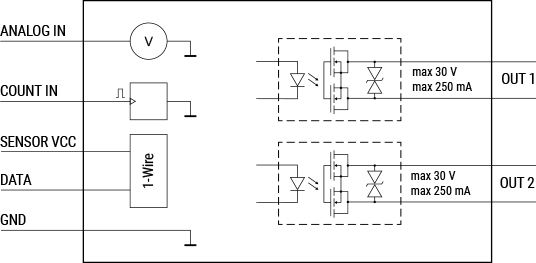
Device electrical interfaces
Power supply
AC/DC power supply - VAC1 and VAC2
DC power supply - +5 VDC and GND
Inputs
1 analog input - ANALOG IN
1 1-Wire data input - DATA
1 pulse counter input - COUNT IN
2 digital inputs - IN1 and IN2
Outputs
1 sensors power supply output - SENSOR VCC
2 potential-free contacts solid-state relay outputs - OUT1 and OUT2
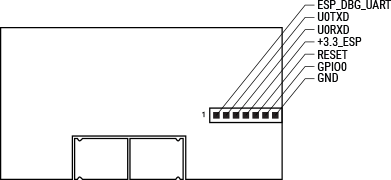
Addon interface
Shelly proprietary serial interface
Connectivity
Wi-Fi
Bluetooth (for inclusion purposes)
Safety features
PCB coating film
User interface
Inputs
One (Reset) button
Press and hold for 5 seconds to enable Device access point and Bluetooth connection.
Press and hold for 10 seconds to factory reset the Device.
Outputs
LED (monocolor) indication
AP (Access Point) enabled and Wi-Fi disabled:
1 second ON / 1 second OFFWi-Fi enabled, but not connected to a Wi-Fi network:
1 second ON / 3 seconds OFFConnected to a Wi-Fi network:
Constantly ONCloud is enabled, but not connected:
1 second ON /5 seconds OFFConnected to Shelly Cloud:
Constantly ONOTA (Over the Air Update):
½ sec ON / ½ second OFFButton pressed and held for 5 seconds:
½ second ON / ½ second OFFButton pressed and held for 10 seconds:
¼ second ON / ¼ second OFF
The list above starts with the initial device status and the lowest priority. Every next state cancels the previous one.
Type | Value |
|---|---|
Physical | |
PCB size (LxWxH): | 40x21x7 mm / 1.57x0.83x0.28 in |
Weight: | 8.5 g / 0.3 oz (with the cables) |
Environmental | |
Ambient temperature: | -20 °C to 40 °C / -5 °F to 105 °F |
Humidity | 30 % to 70 % RH |
Electrical | |
Power supply: |
|
Power consumption: | < 1 W |
Input circuits ratings | |
Digital inputs resistance: | 50 kΩ |
Digital inputs triggering voltage: | 1.5 V (active low level) |
Output circuits ratings | |
Max switching voltage: | 30 V |
Max switching current: | 300 mA |
Sensors, meters | |
Voltmeter: | 0-15 VDC / 0-30 VDC (Two-range) |
Voltmeter accuracy: | |
Pulse counter input triggering voltage: | 1.5 V (active low level) |
Pulse counter max frequency: | 1 kHz |
External sensors supported: | Single DHT22 or up to five DS18B20 |
Radio | |
RF band: | 2400 - 2495 MHz |
Max. RF power: | <20 dBm |
Wi-Fi protocol: | 802.11 b/g/n |
Wi-Fi Range: | Up to 30 m / 100 ft indoors and 50 m / 160 ft outdoors |
Bluetooth Protocol: | 4.2 |
Bluetooth Range: | Up to 10 m / 33 ft indoors and 30 m / 100 ft outdoors |
MCU | |
CPU: | ESP32-U4WDH |
Flash: | 4 MB |
Firmware capabilities | |
Schedules: | 20 |
Webhooks (URL actions): | 20 with 5 URLs per hook |
Scripting: | Yes |
MQTT: | Yes |
CoAP: | No |
Basic wiring diagram
NOTICE! Shelly Plus Uni inputs are different from the previous Shelly Uni ones.
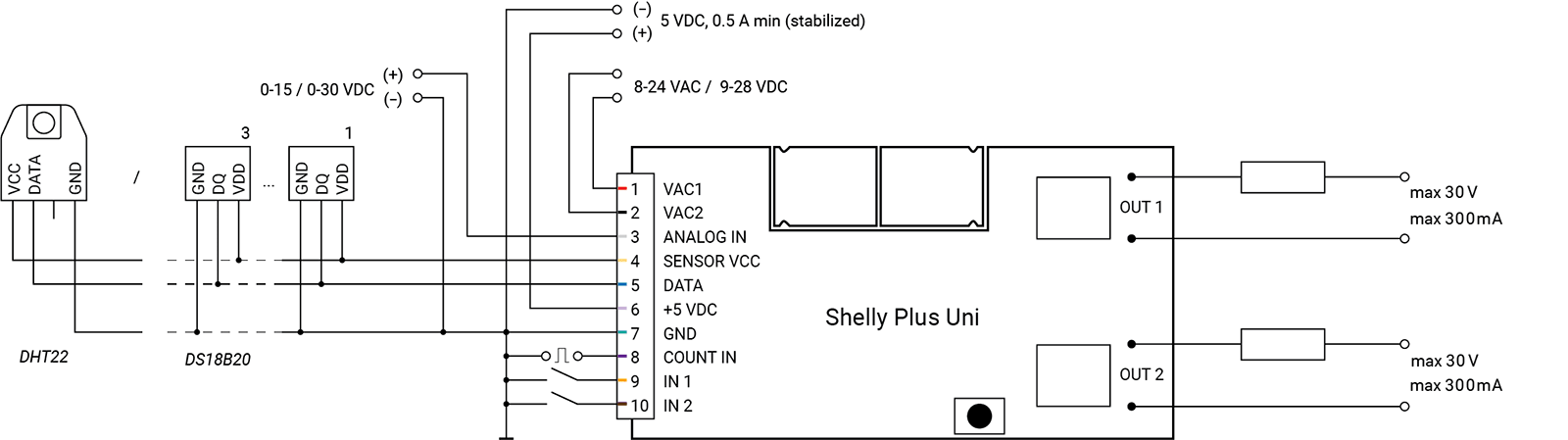
Legend
VAC1 | Red | 8-24 VAC / 9-28 VDC power supply input 1 |
VAC2 | Black | 8-24 VAC / 9-28 VDC power supply input 2 |
ANALOG IN | White | Analog input |
SENSOR VCC | Yellow | Power supply for 1-Wire sensors |
DATA | Blue | 1-Wire data line |
+ 5 VDC | Gray | 5 VDC power supply positive input |
GND | Green | 5 VDC power supply ground input and Sensor ground |
COUNT IN | Purple | Counter input |
IN1 | Orange | Digital input 1 |
IN2 | Brown | Digital input 2 |
OUT 1 | Black | Solid-state relay 1 terminals |
OUT 2 | Black | Solid-state relay 2 terminals |
What are the differences between the different generations of Shelly products?
Each new generation adds more power, memory, and features:
Gen 1 offers basic control;
Gen 2 (Plus Series, Mini Series, Pro Series) adds Bluetooth, scripting, and better security;
Gen 3 improves performance, adds Matter (starting from firmware version 1.6.0 or newer) and advanced monitoring;
Gen 4 offers multi-protocol connectivity, featuring Wi-Fi 6, Bluetooth, Zigbee, and Matter.
Can I control the device via Bluetooth?
No, the protocol is used only for device inclusion, allowing for quick and easy setup through the Shelly Smart Control app.
For bluetooth control it is required to have another Bluetooth device such as Shelly BLU Button or Shelly BLU Motion to interact.
Additionally, Shelly devices can function as a BLE gateway, bridging Shelly BLU devices to your Wi-Fi network.
Is it possible to use the device without a hub?
Yes, Shelly devices (except for Wave devices) operate independently without the need for a hub. They connect directly to your Wi-Fi network, and you can control them via the Shelly Smart Control app, web interface, or through integrations with platforms like Google Home, Alexa, Home Assistant and Samsung SmartThings.
Use cases
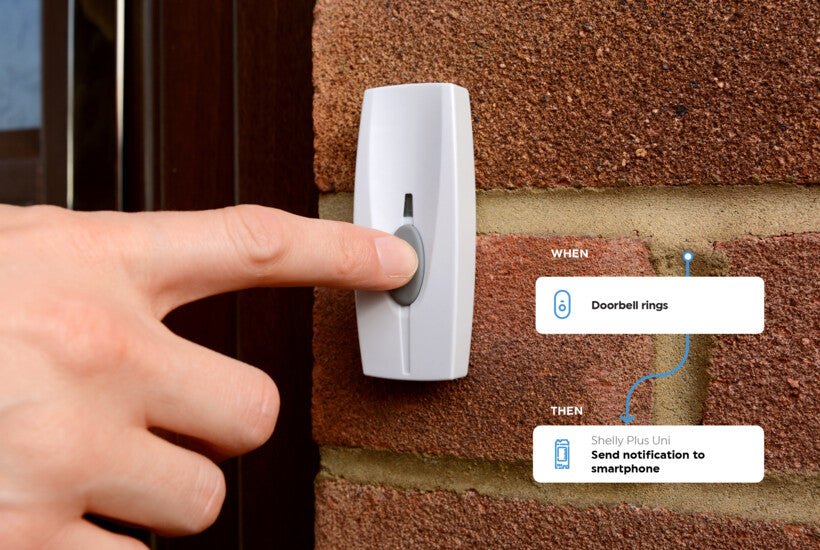
From Manual to Smart
Shelly Plus Uni has the unique capability to replace traditional buttons, bringing old appliances into the realm of remote control without the need for replacements. Now, you can easily make your intercom or alarm system smart.
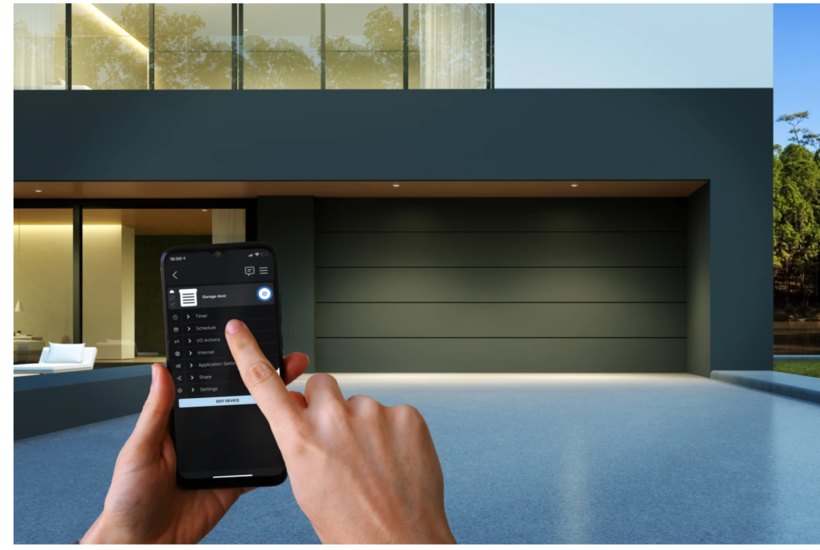
Stay Connected to your Gate and Garage
Now, whether you're at home or away, you can effortlessly operate your gate or garage door with your phone. But it doesn't stop there; the reed-switch provides real-time updates, ensuring you always know if they are securely closed or open.
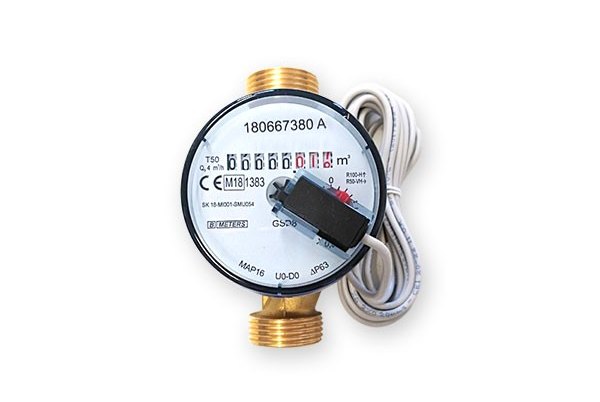
Transform Your Meter Data into Savings
Shelly Plus Uni's new pulse counting feature brings a smart twist to your home utilities. By connecting it to your energy or water meter, you gain a clear view of your electricity and water usage.

Healthy garden
Make sure you water your plants only when needed by connecting a soil moisture sensor.